
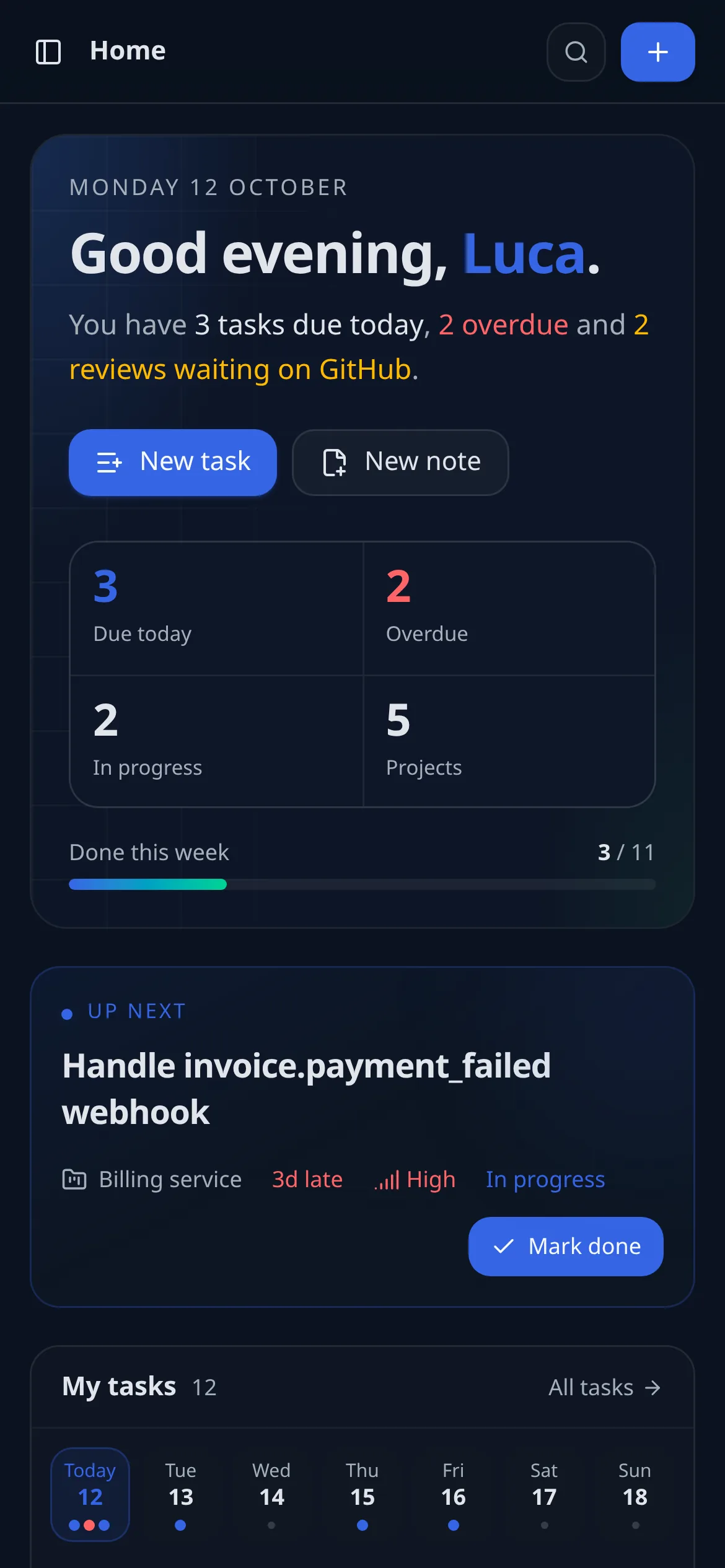
I've always wanted a personal dashboard to keep my software projects under control. DevHub started from that need and became my training ground for going deeper into React. This is the second version, rewritten from scratch, and it keeps growing: the latest round added the GitHub integration and redesigned the home page, the projects page and the sign-in flow.
GitHub inside the dashboard
The biggest addition. You can connect a GitHub account with OAuth, or sign in and sign up with it directly. The OAuth state is HMAC-signed, so the callback only completes the flow that started it, and the GitHub token is stored encrypted with AES-256-GCM. A single GraphQL query builds the inbox: review requests, my pull requests with review and CI state, and assigned issues, which can be imported as tasks. Everything else (repositories, README, Actions runs, releases) goes through the REST API, with responses cached for a minute so moving between pages doesn't eat into the rate limit.
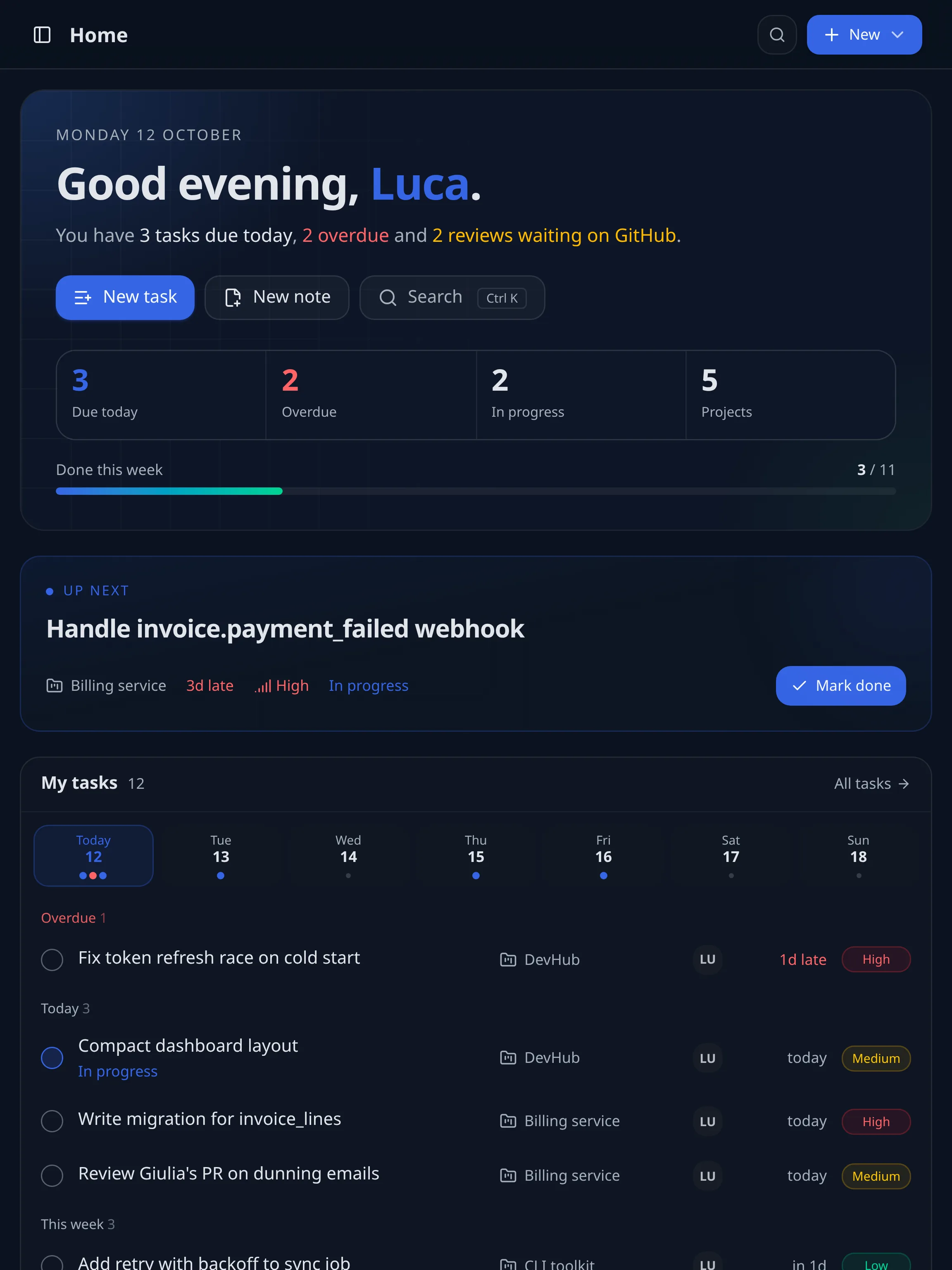
A home page built around today
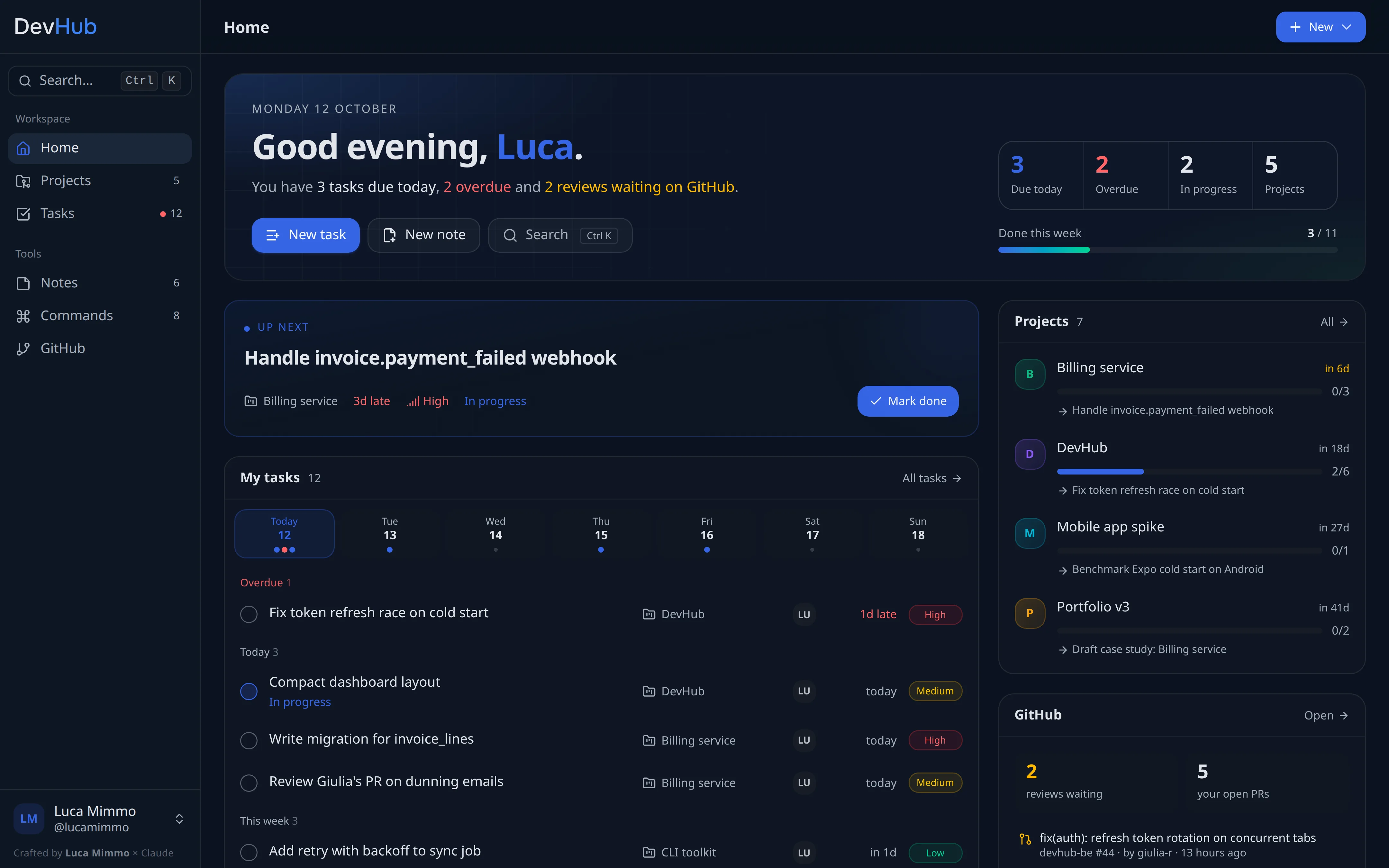
The first version showed counters. The new one tells me what to work on: a one-line summary of the day (due today, overdue, reviews waiting), the next task with Start and Mark done, a 7-day strip, tasks grouped by urgency and completable inline, each project's progress and next deadline, recent notes and saved commands I can copy in one click. All data goes through TanStack Query with one cache per resource, so moving between pages doesn't refetch what I've just seen.
Sign-in, rebuilt
Sign-up and password reset go through a 6-digit code sent by email. On the backend the code is stored hashed with bcrypt in PostgreSQL, one per email and purpose, with a 5-minute expiry and a scheduled cleanup. Sessions use a JWT access token plus a refresh token in an HttpOnly cookie that rotates on every renewal. On the frontend: a split screen with a product preview, inline validation that mirrors the backend rules, a password strength meter, a six-box code input that accepts paste and submits on its own, an expiry countdown with a resend cooldown, and step indicators for verification and reset.
What I learned
Beyond React, DevHub taught me to think about a whole application: designing the API before the UI, handling authentication and third-party tokens safely, working within another service's API limits, and running two separate services in production that talk to each other.
DevHub is my personal developer dashboard: projects, tasks, markdown notes, the CLI commands I use every day and my GitHub activity, all in one place. The home page is built around today's work: what's due, what's late and which pull requests are waiting for my review. The frontend is React 19 + TypeScript with Vite, Tailwind and TanStack Query, deployed on Vercel; the backend is a Quarkus 3 REST API on Java 21 with PostgreSQL, JWT authentication and the GitHub REST and GraphQL APIs.
Solo project: I built everything, from API design and the UI to deploying frontend and backend.
Highlights
Today-first home page
Greeting with a summary of the day, quick actions, an “Up next” focus task, a 7-day strip, tasks grouped by urgency, project progress and deadlines, a GitHub widget, recent notes and one-click copy of saved commands.
GitHub integration
Review inbox, your pull requests with review state, CI status and +/− lines, assigned issues you can import as tasks. Contribution graph with yearly totals and top repositories, activity feed, a repositories table to link repos to projects, and a repo page with README, Actions runs, releases, contributors, weekly activity, issues, PRs and commits.
Projects & tasks
Card and list views with an overview of key numbers and a 60-day deadline runway, per-project colours, a computed health status (On track, At risk, Overdue), progress and late tasks, sorting and Active / Completed / Archived tabs. Project pages edit inline, with team members and the linked repo. Tasks come from a single-screen composer (Ctrl/Cmd+Enter, “create another”) and are completed inline.
Markdown notes & CLI snippets
Markdown editor that formats as you type, an emoji per note and autosave. CLI command library grouped by category (Bash, Git, Docker, SQL, NPM) with one-click copy.
Command palette
Global Ctrl+K palette to search projects, tasks, notes and commands, or run actions like creating a task, without touching the mouse.
Next project